blog9

LED Light Flickering?

LED Light Flickering? Step 1: Quickly Determine if You Have Flickering The simplest method: Open your phone’s camera and aim it at the LED light (without the flash) and observe the light on the screen. If you see “scrolling black bars” or “flickering ripples,” you’re experiencing flickering. The denser the stripes and the faster they scroll, the more severe the flickering. (The principle is: the phone camera’s frame rate is out of sync with the LED’s flickering frequency, which can be “captured” as flickering.) Step 2: Find the root cause! Where does the flickering come from? Poor-quality power supply: The power supply is the “heart” of an LED light, responsible for converting 220V AC power into stable DC power. Low-quality drivers cut corners, resulting in unstable output current, causing the light to flicker. (90% of flickering issues are caused by the driver.) Lamp design flaws: Poor heat dissipation and overheating of the driver can also cause current fluctuations. Or, mismatched lamps and drivers can lead to a “small horse pulling a heavy cart” and insufficient current flow, causing flickering. Interference from external devices: Running high-power appliances (such as air conditioners and induction cookers) at the same time can cause voltage fluctuations, which can also cause LED lights to flicker. However, this is an occasional issue, not a persistent one. Step 3: Treat the problem! Fix the flickering. Replace the driver: Disassemble the lamp (make sure to turn off the power!) and check the driver specifications (input voltage, output current, and wattage). Replace it with a reputable driver with the same specifications. For example, if the original driver has a 220V input and 300mA output, choose the same one. For those with limited manual labor, simply buy a brand-name replacement LED lamp and avoid messing with the old one. Check heat dissipation: If flickering persists after replacing the driver, feel the lamp casing to see if it’s hot. If it’s too hot, clean the lamp’s heat dissipation holes or install a cooling fan (such as with high-power LED spotlights) to keep the driver and lamp beads operating at the correct temperature.Avoid sources of interference from plumbing and electrical sources: LED lamp wiring shouldn’t run on the same circuit as high-power appliances (air conditioners, electric water heaters). In your home electrical distribution box, run a separate circuit breaker for LED lamps to reduce the impact of voltage fluctuations.
blog6

Replacing an LED Ceiling Light Yourself?

Replacing an LED Ceiling Light Yourself? 6 Steps + Tips to Avoid Pitfalls for a Cost-Effective and Hassle-Free Replacement Tools:Screwdriver (Phillips or flathead, depending on how the lampshade is secured), new LED ceiling light (measure the size and wattage of your old light in advance and choose one of the same or a compatible size. Recommended brands include reliable brands like OPPLE and NVC). Step 1: Turn off the power! Turn off the power! Turn off the power! Before proceeding, be sure to turn off the main power switch in the room, or turn off the lights and flip the light switch to “off.” Important: Don’t just turn off the lights, turn off the power! Otherwise, the screwdriver could contact the wires and cause an electric shock. Safety first! Step 2: Remove the old lampshade. There are two common ways to secure a ceiling light shade:Snap-on: Several small clips on the edge of the lampshade snap onto the base. Get a flat-blade screwdriver and insert it into the gap between the lampshade and the base. Gently pry to release the clips. Pry around the edge of the lampshade to remove it. Screwed: There are 2-4 small screws around the edge of the lampshade (possibly hidden in a decorative cover). Remove them with a screwdriver, and the lampshade will come right off. Step 3: Remove the old light panel/light strip The light-emitting part of your old lamp is either a “round/square light panel” (with integrated LEDs) or an “LED light strip” (attached to the base). Light panel: The light panel is typically attached to the base with screws or magnets. If it’s screwed, remove the screws; if it’s magnetic, remove it directly. Then, unplug the light panel’s power cord (some use a plug, others use a direct cable connection. Remember the wire colors—usually red for live, blue/black for neutral). Light strip: The light strip is attached with double-sided tape or screws. Remove the tape or tighten the screws, then unplug the power cord. Step 4: Install the new light panel/light strip. For light panel models: Align the new light panel with the lamp holder. Magnetic models snap directly into place, and screw models tighten the screws. Then connect the power cord—the red wire connects to the existing live wire (usually red), and the blue/black wire connects to the neutral wire (usually blue/black). Cover the connector with electrical tape after connection (if it’s a plug-in model, directly plugging it in is easier). For light panel models: Attach the new light strip to the original lamp holder (clean the holder beforehand to ensure better adhesion). Then connect the power cord, again ensuring the live and neutral wires are aligned. Step 5: Install the lampshade and test with power. Snap the new lampshade into the lamp holder (for snap-on models, press firmly until you hear a click), or tighten the retaining screws. Then, flip the switch on or turn on the power cord to see if the light turns on. If it doesn’t, turn off the power and check for loose or reversed wires, or a problem with the light panel/light strip itself (contact the dealer for a replacement). Pitfall Avoidance Guide: Don’t choose the wrong size: If your old lamp has a diameter of 30cm, buy a new one that’s 30cm or slightly larger to cover the mounting area. Don’t buy something too small, as the lamp base will be exposed and look unsightly. Power Comparison: For a room around 10 square meters, an 18-24W LED light is bright enough; for a large living room (over 20 square meters), choose a 36-60W one. Too much power wastes energy, while too little is too dim. Don’t overlook the power supply: Some new light panels don’t come with a power supply, so you’ll need to purchase one separately (the voltage and current must match the panel! For example, if the panel is 24V, 500mA, choose a 24V, 500mA power supply). When buying a light, make sure to check whether the “driver is included” option; don’t forget to buy one without one! Safety Tips: When wiring, be sure to strip the wires (exposing the metal core) and securely connect them with tape to prevent short circuits and tripping. After installing the panel, avoid allowing the wires to touch the hot zone of the panel, as this will accelerate wire aging. Replacing an LED ceiling light yourself may seem like a lot of steps, but you’ll be able to do it in one go! By paying attention to safety and wiring details, you can easily save a few dozen dollars in labor costs and gain a great sense of accomplishment—next time, when your light breaks, just get started!

blog7

DIY LED Light Strips: 4 Creative Ways to Create a Stylish and Modern Lighting with Installation Tips

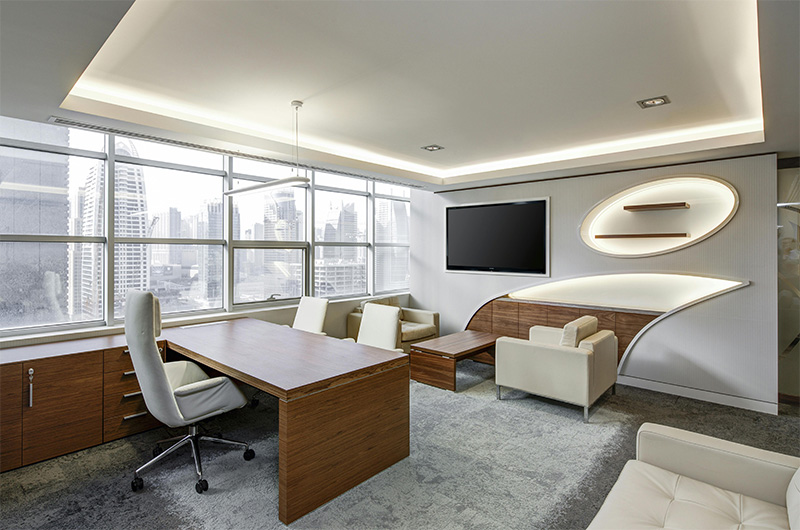
DIY LED Light Strips: 4 Creative Ways to Create a Stylish and Modern Lighting with Installation Tips Want to create a sense of ambiance in your home without breaking the bank? A few bucks and LED light strips will do the trick! Four creative ways to use them, plus installation tips, will easily create a warm, stylish, and upscale look from your living room to your bedroom! Method 1: Floating Ceiling “Hidden Light” If you have a floating ceiling (a secondary ceiling) in your living room, attach LED light strips to the ceiling grooves to instantly make the ceiling appear to float! Light Strip Selection: Choose low-voltage light strips (12V or 24V) for safety; choose a warm yellow color temperature of 3000K for a warm, less glaring effect. Installation: Clean the groove, remove the double-sided tape from the back of the light strip, and apply it to the edge of the groove (avoid applying it directly in the middle, as it will be blocked by the ceiling). If the groove is deep, attach the light strip higher for a softer reflection on the ceiling. Advanced: Add a smart controller and use the mobile app to adjust the brightness and color—dim it to a yellowish color for a movie, brighten it to a vibrant color for a party, and instantly change the atmosphere! Option 2: Staircase “Step-Following Lights” If you have stairs in your home, attach light strips to the sides of the stair treads. No need to turn on the main lights when you get up at night; the lights “follow” when you step on them, creating a truly immersive experience! Choosing light strips: Choose “sensor light strips” (human infrared + light sensing), which only illuminate when it’s dark or someone passes by; or “step-sensor light strips” (independently sensing each step), which illuminate with each step, for a futuristic look. Installation: Cut grooves in the side of the staircase (or use light strip clips) to hide the light strips inside to prevent them from being kicked. Connect the wires to an outlet below the stairs, or run concealed wiring to a distribution box for a more aesthetically pleasing design. Pitfalls to avoid: Avoid overly sensitive sensor light strips, as they’ll illuminate even with slight vibrations (like a door closing downstairs), wasting energy and annoying. Choose waterproof light strips, so they won’t break even if splashed by cleaning. Option 3: “Smart Desk Light” Attach an LED light strip to your desk to replace a desk lamp, providing a wider illumination area and adjustable brightness and color temperature! Selecting a light strip: Choose a “High CRI” light strip (Ra ≥ 90) to restore true colors, ensuring smooth reading and drawing. Choose a 4000K color temperature for a neutral light experience, ensuring fatigue-free work, or switch to a 5000K cooler light for catching up on homework. Installation: Attach the light strip to the top edge of your desk against a wall, or to the bottom of a bookshelf. The light shines down from above or the side, shielding it from your eyes. Secure it with a “light strip clip” for easy repositioning. Upgrade: Connect to a smart outlet and use voice control to “turn on” and “brighten/dim” the desk light. Free your hands—just say, “Xiao Ai, turn on the desk ambient light” and you’re ready to go! Option 4: Balcony “Healing Garden” Grow flowers and succulents on your balcony, and turn on the LED light strip at night to create a healing garden! Choosing a light strip: Choose a full-spectrum light strip (simulating the sunlight spectrum) to allow succulents and plants to photosynthesize at night, facilitating their growth. Alternatively, choose an RGB multi-color light strip that switches colors at night, giving your plants a vibrant look. Installation: Attach the light strip to the inside of the balcony railing or the bottom of a plant stand, directing the light upward to illuminate the outlines of your plants. For outdoor use, choose a waterproof light strip (IP65 or higher) to withstand rain and splashes while watering your plants. Tips: Hide the light strip behind flower pots or in the gaps between railings during the day to avoid disturbing the balcony.
Products
Contacts
WhatsApp
Email